How to Pack a Home Theater System for Moving (Step-by-Step Guide)
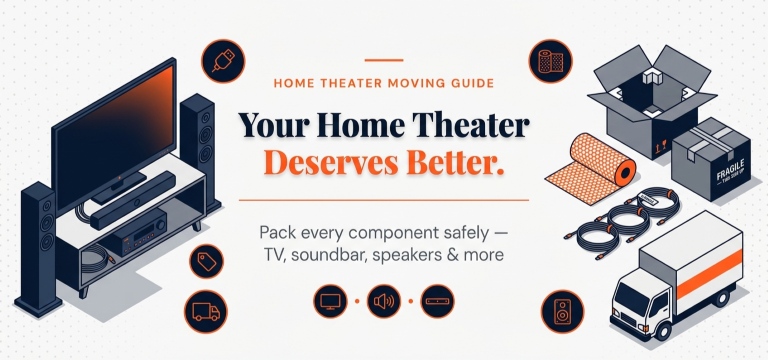
To pack a home theater system for moving, disconnect and label all components, wrap each item in anti-static material, use proper-sized boxes, and transport the TV upright. Proper packing prevents screen damage, cable confusion, and costly repairs during relocation.
If you're wondering how to pack a home theater system for moving safely, this guide has everything you need. From the flat-screen TV and AV receiver to speakers, soundbar, and cables — every component requires its own method to reach your new home without a scratch.
This guide walks you through all 11 steps in the right order — what to pack, how to pack it, how to load the truck, and how to reinstall everything correctly at your new home.
Quick Summary — How to Pack a Home Theater for Moving
What Packing Materials Do You Need to Pack a Home Theater?
Here are all the materials you need before packing your home theater system for relocation:
Custom-fit, best protection per component
Prevents static charge damage to electronics
Protects screen edges and corners
Fills gaps, absorbs transit shock
Binds loose parts and cables together
Keeps cables and remotes sorted
Identifies each cable by device
Signals careful handling to movers
Seals and reinforces all boxes
Step-by-Step: How to Pack Your Home Theater System for Moving
Follow these steps in order for a safe, damage-free move.
Document Everything
- Photograph all cable connections, back panels, and component positions
- Record a short video walkthrough — more reliable than photos alone
- Why this matters: Gives you a complete reassembly reference when setting up at your new home
Take Inventory
- List every item — remotes, cables, adapters, wall brackets, screws
- Note serial numbers for insurance and warranty records
- Use a checklist app or a simple spreadsheet to track everything
Power Down and Disconnect Safely
- Switch off all components in the correct sequence — display powers off last
- Allow everything to cool for a minimum of 30 minutes before wrapping — just as you'd prepare other appliances before transit
- Remove batteries from all remotes before packing
Organise and Label All Cables
- Zip-tie each cable individually — never bundle mixed cables together
- Label every cable by function: HDMI-TV / HDMI-Player / Optical-Soundbar
- Store in labelled zip-lock bags inside one dedicated box
Pack Remotes and Small Accessories
- Use one dedicated box for all remotes
- Remove batteries — prevents corrosion and leakage during transit
- Wrap each remote individually in packing paper before placing in the box
Pack Each Component Separately
Pack every component individually before placing in boxes. Never mix components in one box without proper wrapping. Each piece — TV, speakers, subwoofer, AV receiver, soundbar, and streaming devices — requires its own method.
Prepare and Pack Moving Boxes
- Layer the box bottom with 2–3 inches of packing peanuts before placing any component
- Heaviest items always go at the bottom — lightest on top
- Fill every gap inside the box — no shifting space allowed
- Use the double-box method for your TV and subwoofer
Seal and Label All Boxes
- Reinforce all edges and seams with strong packing tape
- Every box must have: Contents + Room Name + FRAGILE + This Side Up
- Colour-code boxes by room for faster, easier unpacking at your new home
Secure All Moving Parts
- Secure swivel stands, wall mounts, and soundbar brackets with packing tape or zip ties
- This keeps them from shifting or getting damaged during the move
- Pack removed brackets and screws in a labelled zip-lock bag
Load Into the Moving Truck Correctly
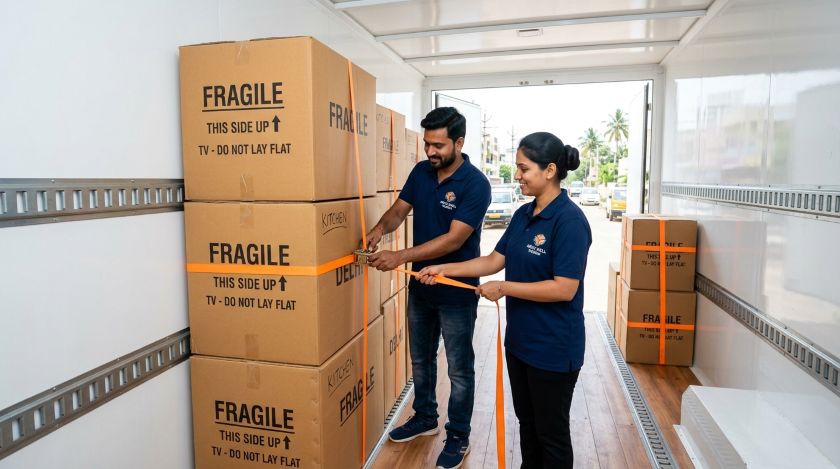
- Load electronics last into the truck — unload them first at your destination
- Place boxes against the side wall — never sandwiched between heavy furniture
- Never stack anything on top of the TV box — these habits are essential to prevent property damage when moving.
- Use furniture straps to secure boxes firmly against the truck wall
Inspect and Reinstall at Your New Home
- Inspect every box and component for visible damage before unpacking fully
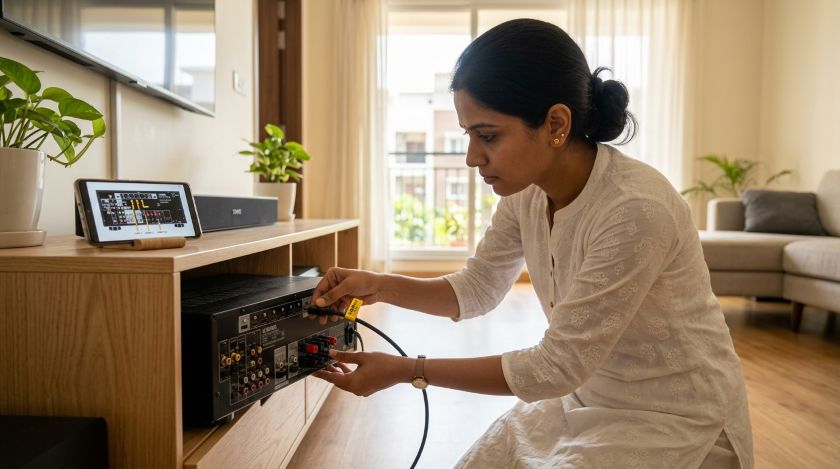
- Refer to the photos and video taken in Step 1 to reconnect all cables exactly as they were
- Power on in the correct sequence: AV receiver → speakers → source devices → TV last
- Run a short test on every component — check picture quality, audio output, remote responsiveness, and all connections
How to Pack Each Home Theater Component Separately
Each component below has a different fragility level. Follow the method specific to each one.
How to Pack a Flat-Screen TV for Moving
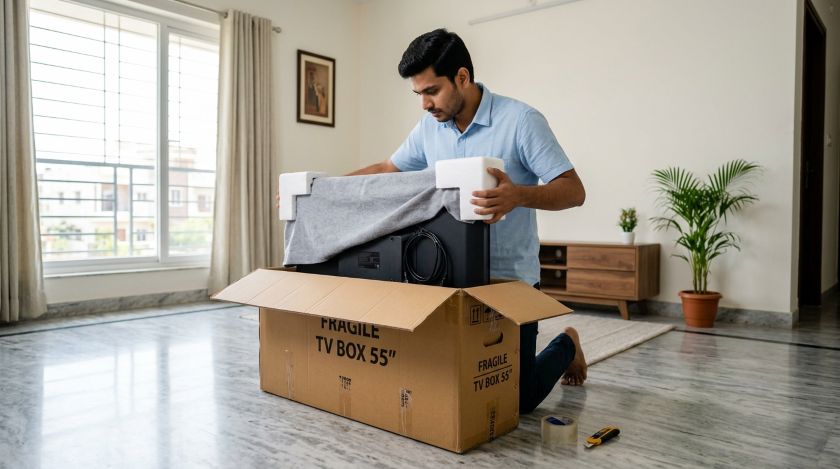
- Never lay it flat — LCD, OLED, and QLED panels crack internally under flat pressure, often with no visible external damage
- Wrap the screen in soft cloth first — never apply bubble wrap directly on the screen surface. For more on packing fragile electronics, follow the same principles across all delicate items.
- Apply foam corner protectors on all 4 corners before boxing
- Use the original box if available, or a TV-specific moving box (available in small, medium, and large sizes)
- Fill all box gaps with packing peanuts — zero shifting space inside
- Mark the box clearly: "Screen — Do Not Lay Flat — Fragile"
- Always transport and store vertically
Whether you're moving an LED, OLED, or QLED — these TV shifting tips apply to every flat-screen type. Knowing how to move an LED TV safely is the single most important part of home theater relocation.
Speakers
- Remove speakers from stands — pack stands separately with padding
- Wrap the driver and cone area with an extra layer of bubble wrap
- Pack upright wherever box size allows
- Label: "Handle With Care — Audio Equipment"
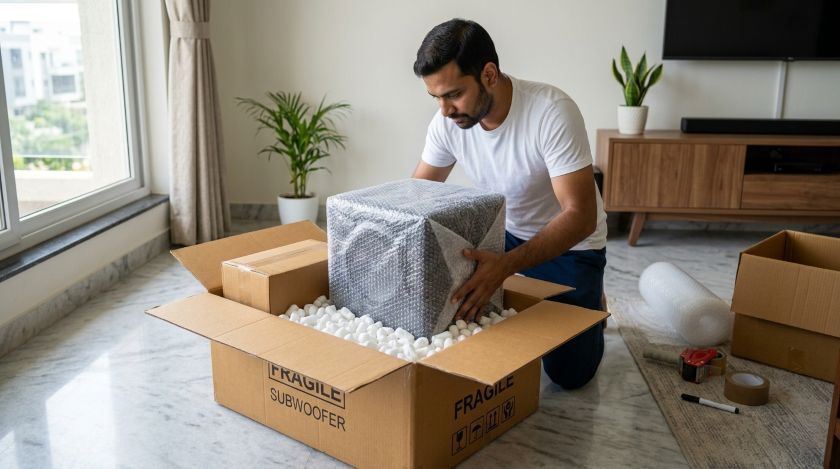
Subwoofer
- The heaviest component in most home theater setups
- Use the double-box method — place the packed subwoofer inside a second larger box with packing peanuts filling the space between
- Add extra packing peanuts on all 6 sides
- Label clearly: "Heavy — Handle With Care"
AV Receiver / Amplifier
- Cover ventilation slots with packing paper — never apply tape directly over vents
- Wrap fully in anti-static bubble wrap
- Do not place any item on top during packing or transit
Soundbar
- Remove wall brackets first — pack brackets separately with screws in a labelled bag
- Wrap in bubble wrap and secure both ends with packing tape
- Pack horizontally in a snug-fitting box
- Mark the box: "Fragile — Do Not Stack"
Streaming Devices, Cable Box and Gaming Consoles
- Use anti-static bags wherever available
- Remove all discs from consoles and Blu-ray players before packing
- Wrap controllers with foam padding — protect analog sticks from pressure
- Pack all small devices in one clearly labelled box
Common Mistakes to Avoid When Packing a Home Theater
Avoid these mistakes to prevent damage to your home theater system during relocation:
| Mistake | Why It Causes Damage |
|---|---|
| Laying TV flat during transport | Puts pressure on panel — causes invisible internal cracking |
| Applying bubble wrap directly on screen | Static charge damages display surface coating |
| Mixing all cables in one bag | Tangling, connector damage, impossible reassembly |
| Not removing batteries from remotes | Battery corrosion and leakage during transit |
| Packing components while still warm | Trapped heat inside sealed box damages circuitry |
| Stacking heavy items on electronics in truck | Structural compression and screen damage |
| Skipping the documentation step | No reassembly reference and no insurance claim proof |
Should You Hire Professional Packers for Your Home Theater System?
Here's a quick guide to help you decide:
| Situation | DIY | Hire Professionals |
|---|---|---|
| Single TV + Soundbar | Manageable | Not necessary |
| Wall-mounted TV | Risky | Recommended |
| Full surround sound system | Complex | Strongly Recommended |
| Long-distance / interstate move | High risk | Strongly Recommended |
| OLED / QLED / Projector setup | Avoid DIY | Always hire |
Frequently Asked Questions
Final Thoughts
Your home theater system is a significant investment — one worth protecting properly during a move. With the right materials, correct packing sequence, and careful loading, you can relocate every component without damage. If your setup is complex, wall-mounted, or simply too valuable to risk, trust verified professionals to handle it. AssureShift connects you with experienced, background-verified packers and movers who treat your electronics with the care they deserve.
Document Everything
Pack Each Component
Label Every Cable
Test Every Component
Pack Smart. Move Safe. Enjoy Your Home Theater in Your New Home.
AssureShift connects you with experienced, background-verified packers and movers who treat your electronics with the care they deserve.