How to Pack & Move Electronics and Appliances Safely: Complete Guide
No glass, no visible cracks — electronics and appliances don't look breakable. But a rough move can wreck a compressor or fry a circuit board just as easily as it shatters a vase. And by the time you notice, it's usually too late.
This guide covers the full journey: packing, moving, storing, and reinstalling your electronics and appliances — safely, start to finish. The short version? The move you prep for is the move that goes right.
What to Prepare Before Moving Day
Most appliance and electronics damage during a move traces back to one thing: starting the packing process too late. Give yourself a proper runway.
Timeline: What to Do and When
1 week before: Back up all electronic data, order or collect packing supplies, and check appliance manuals for manufacturer-specific moving instructions.
48 hours before: Empty and clean the refrigerator and dishwasher; run a final wash cycle if needed.
24 hours before: Defrost and unplug the refrigerator; disconnect and drain the washing machine; unplug all remaining electronics so they've fully cooled and powered down before packing.
Supplies Checklist
Keep this list handy before you start boxing anything up:
- Original manufacturer boxes (if you still have them — these are the best-fit option)
- Sturdy double-walled moving boxes in multiple sizes
- Bubble wrap and moving blankets
- Anti-static packing peanuts (for electronics specifically — regular foam peanuts can generate static)
- Packing tape (a stronger grade than standard household tape)
- Zip-lock bags for screws, cords, and small parts
- Silica gel packets (moisture control)
- Permanent markers and fragile/this-side-up labels
- Furniture dolly or hand truck for large appliances
How to Pack Electronics for Moving
Backup Your Data First
Before you unplug a single cable, back up everything. A bumpy road or an accidental drop is not the time to discover your photos, documents, or work files only existed on one hard drive.
- Copy important files to an external hard drive or a cloud service (Google Drive, Dropbox, iCloud, etc.)
- Note down or screenshot your Wi-Fi network settings and passwords before you unplug your router — you'll need these to get your new home's network running quickly
- If you have smart appliances (smart fridges, smart thermostats, connected washers), check whether their custom settings, schedules, or paired-device lists need to be saved or will simply reset — check the manufacturer's app if unsure
Disconnect and Prep Devices
Once your data is backed up, it's time to power down and disconnect.
- Unplug all devices at least a few hours before packing so they've fully cooled (especially anything with a motor or a battery, like laptops)
- Remove batteries from remotes, game controllers, and any device where a leaking battery could cause internal corrosion
- Check the manufacturer's manual for any device-specific disassembly instructions — some devices (like printers) have moving parts that need to be locked or secured before transit
How to Pack a TV
Televisions deserve their own step, since they're one of the most commonly damaged items in a move.
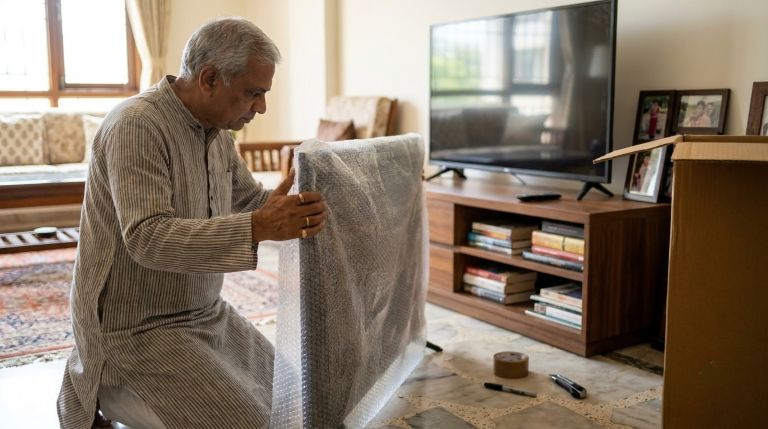
- Use the original TV box if you kept it — it's built to the exact dimensions and cushioning the screen needs
- If you don't have the original box, use a flat-panel TV box (available from moving supply stores) and pad the screen with bubble wrap, then stuff the remaining space with soft linens or thermocol so nothing shifts
- Never lay a flat-screen TV flat during transit — keep it upright, the same way it would sit on a stand
- Avoid placing anything on top of or leaning against the TV box during loading
Best Packaging Materials for Electronics
The materials you use matter as much as the packing technique itself.
- Anti-static packing peanuts — standard for filling space around electronics without generating static electricity that can damage circuit boards
- Bubble wrap and moving blankets — for outer cushioning
- Original packaging — always your best option when available, since it's designed for the exact item
- Strong packing tape — reinforce all box seams; a box that opens mid-transit is a common, preventable cause of damage
Protecting Electronics from Heat, Humidity & Moisture
Electronics are sensitive to environmental extremes, not just physical impact.
- Add a few silica gel packets inside each electronics box to absorb condensation, especially important during humid or monsoon-season moves
- Seal any box seams or vents with tape to keep dust out
- Avoid leaving electronics boxes inside a closed, parked moving truck for extended periods in direct heat — high temperatures can damage batteries and internal components even without any physical impact
Labeling & Organizing Cords
Losing or tangling cables is one of the most common — and most avoidable — moving frustrations.
- Wrap each cord around itself and secure it with a twist tie or small piece of tape
- Label each cord with masking tape and a marker, noting which device it belongs to
- Group all cords for one device together in a small zip-lock bag, and pack that bag inside the same box as the device it belongs to
- Mark every electronics box "Fragile" and list its general contents on the outside — this speeds up unpacking and tells movers to handle it with extra care
How to Pack Major Appliances for Moving
Refrigerator — Defrosting, Cleaning & Packing
The refrigerator needs more lead time than almost anything else in your home.
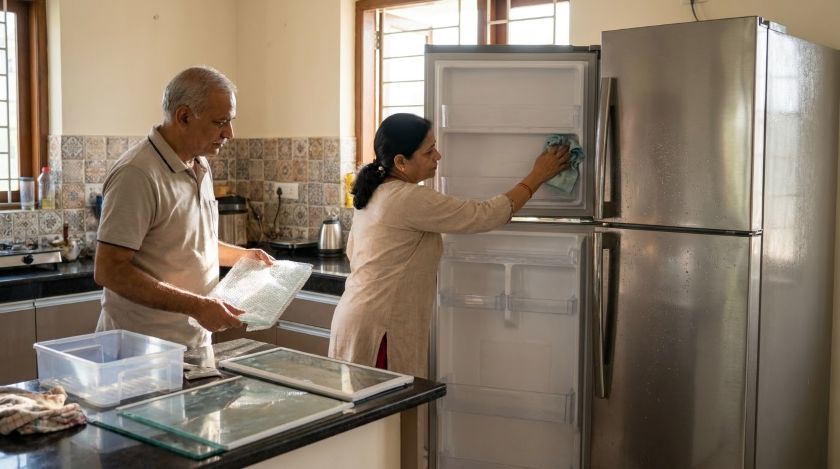
- Remove all food and clean the interior thoroughly, including door seals
- Remove the shelves and crisper drawers and pack them separately, wrapped in bubble wrap or packing paper
- Pack the empty crisper drawer with soft items like cushions or folded bedsheets inside a large polythene bag — this adds cushioning while making efficient use of space
- Let the fridge sit at room temperature and dry fully before it's tilted or moved, to avoid compressor damage
Washing Machine & Dryer — Draining, Hoses & Drum Bolts
Washers and dryers have moving internal drums that need to be secured before transit.
- Check your owner's manual for transit/shipping bolts — these lock the drum in place so it doesn't shift and damage the machine's internals during the move; many manufacturers sell replacement bolts if you no longer have the originals
- Disconnect and drain the water hoses completely, then pack them in a separate, clearly labeled box
- Run a final empty cycle if needed to clear out any residual water, and let the drum dry fully before sealing the machine shut
Dishwasher — Emptying & Securing
- Make sure the dishwasher is completely empty before moving day
- Remove the utensil holder and rack and pack them separately
- Run a quick clean cycle if the unit needs it, then let it dry fully
- Tape the door shut securely so it doesn't swing open during loading or transit
Microwave, AC/Split Units & Water Heater/Geyser
These appliances are just as commonly moved as the ones above, but often get skipped in packing guides.
- Microwave: Remove the glass turntable and pack it separately, wrapped in bubble wrap, so it doesn't rattle or crack inside the unit during transit
- AC / Split Units: These generally require professional de-installation and re-installation to avoid refrigerant gas loss or coil damage — don't attempt to disconnect a split AC unit yourself
- Water Heater/Geyser: Have the water supply disconnected and the tank fully drained before the move; like ACs, installation-type appliances are safest handled by a qualified technician on both ends of the move
Securing Cords & Accessories
Follow the same cord-labeling method described in the electronics section above — wrap, label, and bag each appliance's cord, then tape it to the appliance itself so it stays with the right unit and doesn't dangle or snag during loading.
How to Move Large Appliances Safely
Choosing the Right Truck Size
Match your truck size to what you're actually moving. A truck too small means overloading and risky stacking; a truck too large wastes money and leaves large appliances without enough surrounding padding or support to stay upright and stable.
Equipment You'll Need
The right equipment protects both your appliances and the people moving them:
- Furniture dolly — for rolling heavy appliances short distances
- Hand truck — for stairs and uneven ground
- Moving straps — distribute weight across your back and shoulders, making it easier to carry appliances safely up or down stairs
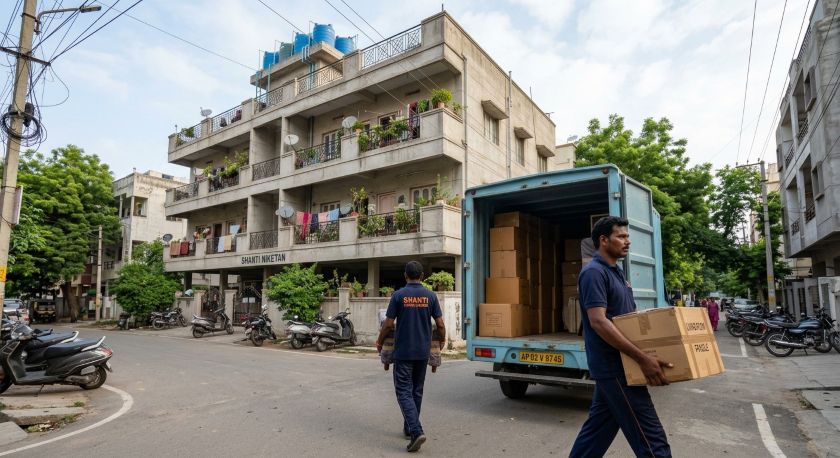
How Many People You Need per Appliance
Attempting to move a heavy appliance alone is one of the most common causes of both appliance damage and personal injury. As a general guide:
- Refrigerators and washing machines typically need at least two people
- Anything over roughly 45–50 kg, or awkward to grip (like a dishwasher), is safer with two or more people and a dolly, rather than one person attempting to carry it
Protecting Appliances in Transit
- Wrap each large appliance in a moving blanket or bubble wrap to prevent scratches and dents
- Secure appliances inside the truck with ropes or straps so they can't shift, tip, or slide into other items during transit
- Load heavier appliances first and low in the truck, so lighter, more fragile boxes aren't at risk of being crushed
When to Hire Professional Movers
If you're moving appliances that require disconnection from gas, water, or refrigerant lines — such as a geyser, split AC, or gas stove — professional handling isn't just convenient, it reduces real risk of damage or an unsafe reconnection. For heavier furniture and appliances in general, professional house shifting services bring the right equipment and experience to reduce the chance of drops, dents, or strain injuries. If your move is limited to smaller electronics and appliances you can safely disconnect and carry yourself, a DIY approach with the right supplies works just as well.
How to Store Appliances Long-Term
If your appliances need to go into storage before or after your move, a few extra precautions protect them over an extended period.
Climate-Controlled Storage
Choose a climate-controlled unit wherever possible. Extreme heat, cold, or humidity can lead to rust, warped seals, and mold or mildew growth inside appliances — all of which are harder to reverse than they are to prevent.
Storing Appliances Upright
Keep appliances upright, not on their sides, to avoid stressing internal components that were designed to sit and operate in a fixed orientation.
Leaving Doors Ajar
For refrigerators, freezers, and washing machines, leave the door slightly open during storage. This allows air to circulate and prevents the trapped, sealed moisture that leads to mold and odor buildup.
Keeping Appliances Off the Floor
Place appliances on wooden pallets or thick cardboard rather than directly on a storage unit floor. This protects them from moisture damage and makes them easier to move in and out later.
Covering for Dust Protection
Cover appliances with a breathable material like cotton sheets, not plastic. Plastic covers trap moisture against the appliance, which can encourage mold — the opposite of what you want.
Labeling Stored Parts
Label any removable parts (racks, hoses, shelves) and keep a simple inventory of which box or bag they're in. This alone saves significant frustration when it's time to reassemble everything.
Pest-Proofing
Rodents and insects are drawn to warm, enclosed spaces and can chew through wiring or insulation inside stored appliances. Use a storage facility with pest control measures in place, and avoid leaving any food residue in appliances before they go into storage.
Periodic Inspection
If your appliances are in storage for more than a few weeks, check on them periodically. Catching an early sign of moisture, pests, or a loose part is far easier to fix than discovering the damage only after you've moved them into your new home.
Reinstalling Electronics & Appliances After the Move
Unwrapping & Damage Inspection
As you unpack each item, inspect it before plugging it in or putting it into service. Check for any dents, cracked casing, or loose parts that may have occurred during transit or storage.
Reassembly & Reconnection
Use your owner's manuals or the labels you created earlier to reassemble each appliance correctly — reattach hoses, racks, drum bolts, and any parts you packed separately.
Testing Appliances Safely
Once reconnected, run each appliance through a basic test — a short cycle for a washer or dishwasher, a power-on check for electronics — before relying on it for daily use. Catching an issue early is far easier to resolve than discovering it weeks later.
When to Call a Technician
Storing User Manuals
Keep all your appliance manuals together in one accessible folder or drawer at your new home. They're invaluable for troubleshooting and for referencing model-specific care instructions long after the move is over.
FAQs
Conclusion
Safeguarding your electronics and appliances during a move comes down to four stages: preparing and packing them correctly, moving them with the right equipment and care, storing them properly if needed, and reinstalling them safely once you've arrived. Skipping any one of these steps is where most preventable damage happens — a fridge moved without defrosting, a TV packed without proper cushioning, a washer moved with an unsecured drum.
In short: the safest move is the one you prepare for in advance — back up your data, defrost and disconnect appliances the day before, use the right packing materials, and call in professional help for anything involving gas, water, or electrical disconnection. Follow this guide step by step, and your electronics and appliances should arrive at your new home in exactly the condition they left the old one.