Office Packing and Moving Tips: Complete Guide

Relocating an office isn't like moving homes. There's no room for sentimentality when you're dealing with live projects, client deadlines, expensive equipment, and confidential data. A poorly executed office move can cost you days of productivity, damaged hardware, lost documents, and frustrated employees. If you're planning to shift your home along with your office, you might also find our house packing tips helpful.
The good news? Most office moving disasters are preventable with proper planning and systematic packing.
This guide focuses on the practical side of office relocation—what to pack, how to pack it, and how to minimize disruption to your business operations. Whether you're moving to a 10-person startup or a mid-sized corporate office, these tips will help you execute a smoother, more organized move.
Step 1: Categorize Office Items by Type and Priority
Break everything down into clear categories before you start packing:
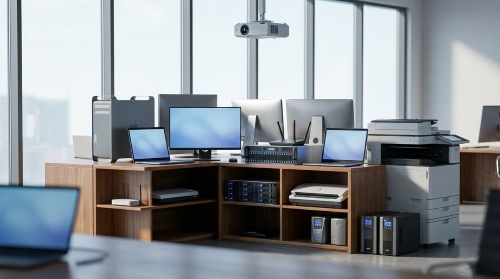
Electronics and IT equipment:
- Desktop computers, laptops, monitors
- Servers, networking hardware, routers
- Printers, scanners, projectors
- UPS units and power backup systems

Office furniture:
- Desks, chairs, workstations
- Conference tables, cabinets
- Shelving units, storage racks
- Reception furniture

Documents and files:
- Active project files
- Archive documents
- Confidential records
- Contracts and legal documents

Office supplies and pantry:
- Stationery, printer cartridges
- Pantry items, kitchenware
- Cleaning supplies, first aid kits
Categorizing helps you pack systematically and ensures nothing gets mixed up or lost during transit.
Step 2: Ensure IT Equipment and Electronics Safety
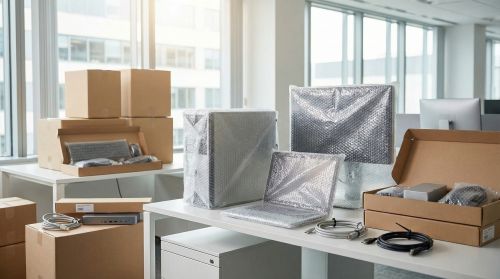
Computers and laptops:
- Back up all data to cloud storage or external drives before packing
- Take photos of cable connections before unplugging anything
- Use original packaging if available; otherwise, use sturdy boxes with bubble wrap
- Remove external peripherals and pack them separately
- Label each device with employee name or workstation number
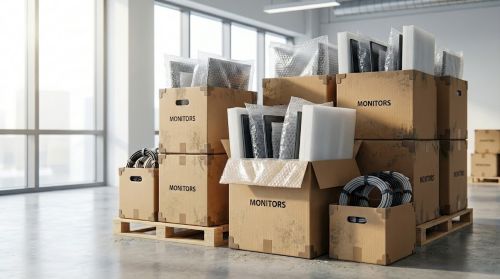
Monitors and screens:
- Use screen protectors or cardboard pieces between monitors if stacking
- Pack standing monitors in original boxes or with corner protectors
- Never lay flat screens face-down
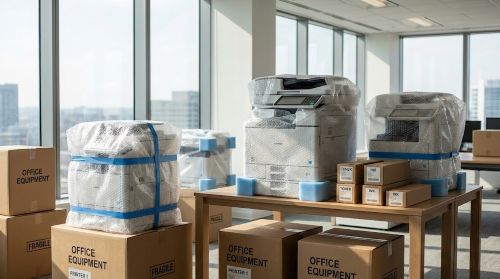
Printers and scanners:
- Remove ink cartridges and toner (these can leak during transport)
- Secure moving parts with tape
- Wrap in bubble wrap and use appropriately sized boxes

Servers and network equipment:
- Coordinate with your IT team or vendor
- Document all connections with photos and labels
- Consider professional IT relocation services for critical servers
- Ensure proper climate control during transport if required
Step 3: Labeling Systems and Inventory Tracking
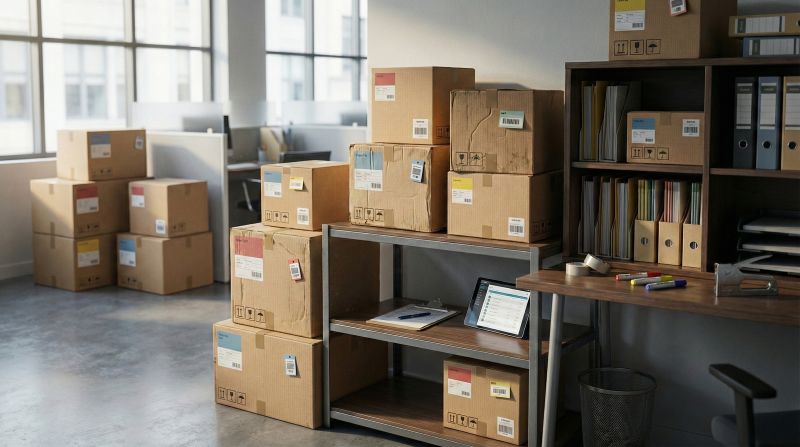
Effective labeling includes:
- Department or team name
- General contents description
- Destination room/floor in new office
- "Fragile" or "Handle with care" markings where needed
- Box number (for inventory tracking)
Example label:
Finance Department
Desk supplies and stationery
New office: 3rd Floor, Room 302
Create a master inventory:
- Maintain a spreadsheet with box numbers, contents, and assigned locations
- Take photos of valuable items before packing
- Note serial numbers of expensive equipment
- Share the inventory with your moving team and office manager
Learn more strategic labeling techniques in our detailed box labeling guide.
Step 4: Packing While Maintaining Business Operations
Strategies to keep operations running:
- Start with storage rooms, archives, and rarely used areas
- Pack non-essential departments first
- Keep essential workstations functional until the last possible moment
- Items needed until moving day and immediately after
- Keep these separate and transport them yourself if possible
- Pack after business hours or on weekends if feasible
- For 24/7 operations, coordinate with shift schedules
- Important contact numbers
- Emergency supplies
- Key documents and contracts
- Basic office supplies for the first day
Step 5: Post-Move Administrative Tasks and Optimization

Update everywhere:
- Google My Business and other local listings
- Social media profiles
- Email signatures
- Business cards and stationery
- Vendor and client databases
- Banking and government registrations (GST, PAN, etc.)
- Notify India Post for mail forwarding
- Update address with statutory authorities (ROC, GST department)
- Inform insurance providers
- Update address on invoices and contracts
- Change location on job portals and recruitment platforms
For a complete checklist of all places to update your business address, refer to our comprehensive address change guide.
Evaluate what worked and what didn't:
- Gather feedback from employees
- Review budget vs. actual costs
- Assess mover performance
- Document lessons learned for future reference
- Celebrate the successful move with your team
Frequently Asked Questions About Office Relocation
Conclusion: Execute Your Office Move with Confidence
Office relocation doesn't have to be disruptive. With early planning, systematic packing, and clear coordination, businesses can protect their assets, minimize downtime, and resume operations faster.
Successful office moves follow a pattern: detailed inventories, proper labeling, realistic timelines, and professional handling of critical equipment. The investment in planning and expert support always costs less than correcting avoidable mistakes after the move.
Approach your office relocation as a structured business project—not just a physical move. When executed with discipline and clarity, it becomes a smooth transition that supports long-term growth.
For businesses seeking reliable guidance and verified professionals, explore our office relocation services to connect with trusted office movers and packers, making complex relocations easier, safer, and more predictable.
Ready to Plan Your Office Move?
Connect with verified professional office movers and packers. Get customized quotes, compare services, and ensure a smooth, stress-free relocation for your business.
Get Free Moving Quotes